
Whatsapp

DISCOUNT -10% - use the code SUN10Β valid without minimum order

00000000days
09090909hours
48484848min
21212121sec
For digital format products, delivery takes place within 5 minutes of receiving payment, via email.


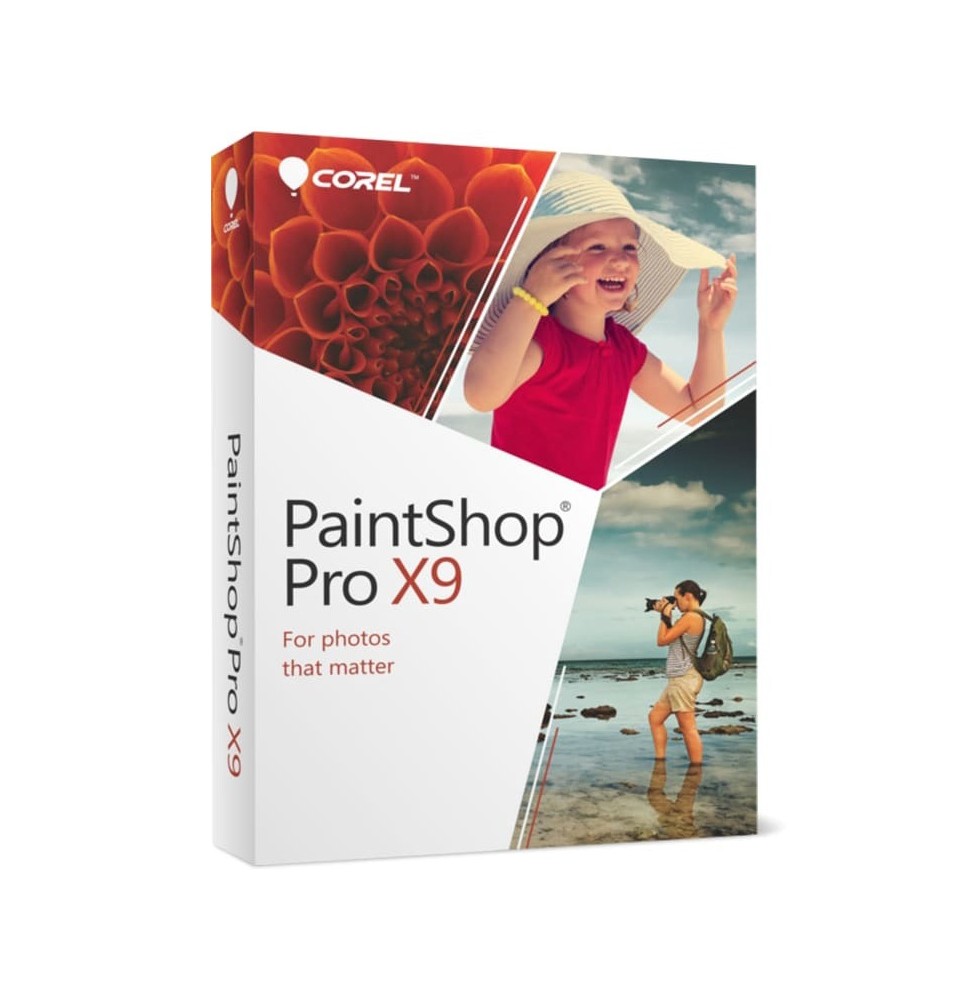
COREL PAINTSHOP PRO X9

Green tick   Immediate Digital Delivery

Green tick   Original License

Green tick   Satisfaction or Money Back Within 30 Days

Green tick   Easy Activation

Green tick   Installation Guide Included

Green tick   24/7 Support, Including on WhatsApp

Green tick   Reusable in Case of Formatting

Green tick   Multilingual

Green tick   Updates Included Where Applicable

Available
Platform:
  • Windows
License Duration:
  • Perpetual
€39.90    Scegli un prodotto digitale, risparmia sulΒ prezzo
Tax included

COREL PAINTSHOP PRO X9

Corel PaintShop Pro X9 is a comprehensive photo editing and digital graphics software, designed to provide users with a powerful and accessible alternative to more complex photo editing programs. Thanks to its advanced yet intuitive tools, it allows to transform images, create graphic projects and produce professional-quality processing.

πŸ“¦ What the software includes

  • Advanced photo editor – Tools for retouching, correction and automatic improvement of images.
  • Creative tools – Brushes, textures and filters to give an artistic touch to photos.
  • Layer management – Multilayer support for complex compositions.
  • HDR and photo merge – Creation of high dynamic range images by combining multiple shots.
  • Scripts and automations – To speed up the workflow and apply changes to a series of images.
  • RAW support – Opening and processing of RAW files from digital cameras.
  • Selection and cropping modules – Intelligent tools to remove backgrounds or isolate subjects.
  • Integration with plugins – Compatibility with external plugins to expand functions.
  • Graphic tools – Functions to create banners, web graphics, cards and custom visual content.

πŸ”§ Main features

  • Quick corrections – Automatic adjustments for color balance, brightness and contrast.
  • Advanced retouching – Elimination of imperfections, red eyes, lens distortions and noise.
  • Artistic photo editing – Wide range of special effects, filters and creative brushes.
  • Batch processing – Simultaneous application of changes to multiple images.
  • Extended compatibility – Support for formats such as PSD, PNG, JPG, TIFF and GIF.
  • Graphic design tools – Creation of layouts and compositions for print and web.

πŸ’» Operating system compatibility

  • Windows 10 and Windows 11 (64 bit) – fully supported.
  • macOS – Corel PaintShop Pro X9 is not available in a native version for Mac, but it can be run via virtualization with Parallels Desktop or VMware Fusion, installing Windows on macOS.

βš™οΈ Recommended hardware requirements

  • Operating system: Windows 10/11 (64 bit).
  • Processor: Intel Core i3 or higher / AMD equivalent (i5/i7 recommended for complex projects).
  • RAM: minimum 4 GB (8 GB or more recommended).
  • Graphics card: compatible with DirectX 9 or higher with at least 512 MB VRAM.
  • Disk space: about 1.5 GB free.
  • Screen: minimum resolution 1280 x 768 (1920 x 1080 recommended).
  • Internet connection: necessary for activation and updates.

🎯 Who it is suitable for

Corel PaintShop Pro X9 is ideal for:
  • Amateur and professional photographers who need a powerful yet intuitive editor.
  • Graphic designers and digital creatives who want design tools for web and print.
  • Businesses and offices that need reliable software for photo processing.
  • Students and hobbyists who want to improve their photos and create artistic projects.
CRPNTPROX9_2

Specific References

EAN13
735163146158

DIGITAL DELIVERY

All our products are delivered digitally via email. You will receive a product key, download file, and installation and activation instructions. Most products are delivered within 1-5 minutes. Some products need to be delivered manually and may take up to 1 hour to deliver.

You can also access the product you purchased through My Account:

  • - Go to "My Account" by clicking on the top right corner of the web page: "Hello, [your name]".
  • - Click "Orders".
  • - Find the correct order ID and press "SHOW" on the far right under the "ACTIONS" heading.
    • On the order page you will find the product key and download guide (some products only receive a download guide via email).

      IF YOU CAN'T FIND YOUR PRODUCT KEY:

      If your Product Key is not listed on the order page or order confirmation, it will be automatically sent to you within one hour of purchase (Monday to Saturday 9:00 am to 8:00 pm).

      If you have not received your Product Key after two hours, contact us.

16 other products in the same category: