 Whatsapp




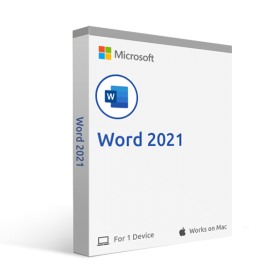
MICROSOFT WORD 2019 (MAC)
 Immediate digital delivery
Original license
Satisfaction guaranteed or money back within 30 days
Easy activation
Guide included for installation
24/7 support, including on WhatsApp
Reusable in case of formatting
Multilingual
Updates included where applicable
MICROSOFT WORD 2019 (MAC)
Word 2019 for Mac offers new ways to work on documents, such as improved features of the digital pen, focus mode, learning tools and translation. Here are the main new features from Word 2016 for Mac.
Tools for easy reading and more natural writing
If you are reading and writing in a language you are not familiar with, or if you want to improve your reading experience, Word 2019 for Mac allows you to enhance your ability to communicate and absorb information.
If you are using a pen-enabled device, take advantage of the improvements made to drawing and writing.
Breaking down language barriers
It is possible to translate words or phrases into another language with Microsoft Translator. You can do this from the Review tab of the ribbon.
Translator button with an English word and its French translation
Improve the reading experience
Rest your eyes. Adjust the text spacing, column width, and page color. Or, listen while Word reads the document aloud, highlighting the text as it reads.
Four available learning tools that make documents more readable
Drawing and writing with the digital pen
A customizable and portable set of pens (and pencils) allows you to write in a document in a natural way. Select an important element, draw, transform the pen input into a shape, or perform mathematical operations.
Pens in Word for Mac
Increase the visual impact
With a collection of icons and a selection of 3D images to choose from, there have never been so many ways to enhance the visual impact of documents.
Add SVG icons and images
Add icons or scalable vector graphics (SVG) files to documents. Change the color, apply effects, and modify them according to your needs.
Change the graphic style of an icon
Getting the right perspective with 3D images
Just insert a 3D model and rotate it 360 degrees. Even the readers will be able to rotate it.
System requirements:
Processor: dual-core processor/recent macOS
Operating system: macOS Monterey (12), macOS Big Sur (11), macOS Catalina (10.15), and macOS Mojave (10.14).
Memory: 4 GB of RAM for Mac
Hard disk space: 10 GB for Mac
Screen: 1280 x 800 for Mac
Graphics: A DirectX 10 graphics card is required for hardware acceleration of PC graphics.

Specific References
- EAN13
- 0760947037827
7 other products in the same category:


Immediate digital delivery
Original license
Satisfaction guaranteed or money back within 30 days
Easy activation
Guide included for installation
24/7 support, including on WhatsApp
Reusable in case of formatting
Multilingual
Updates included where applicable