



For digital format products, delivery takes place within 5 minutes of receiving payment, via email.
 Whatsapp
 Immediate digital delivery
Original license
Satisfaction or refund within 30 days
Simple activation
Installation guide included
24/7 support, including on WhatsApp
Reusable in case of formatting
Multilingual
Updates included where provided
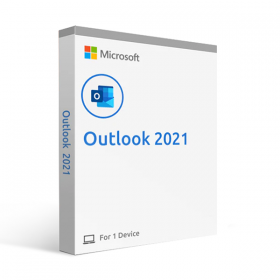
Microsoft Outlook 2021 for Mac is a powerful email program that offers a variety of features to simplify email communication and planning. The user interface is simple and intuitive to use, allowing users to quickly and easily access all the important functions. One of the most important features of Outlook 2021 for Mac is email management. Users can quickly and easily organize their emails by storing them in folders or marking them for easy searching. In addition, users can also create rules to automatically sort and organize their emails. For example, the user can create rules that move incoming emails from specific senders directly into specific folders, or mark emails with specific keywords. Outlook 2021 for Mac also offers an integrated calendar and scheduling function that allows users to effectively manage their own schedule. Users can quickly and easily schedule their own appointments and events by entering them into their calendar and providing the appropriate details such as date, time, and location. The calendar view of Outlook 2021 for Mac is highly customizable and offers a variety of options to adapt the view to the user's needs. Users can view their calendar by day, week, month, or year to get a quick overview of their schedule.
Another useful feature of Outlook 2021 for Mac is the ability to share appointments with other people. Users can easily send meeting and appointment invitations and manage the participation of other people. They can also share their calendars with other people to ensure that all involved parties are aware of important dates and events. Outlook 2021 for Mac also offers a helpful reminder management feature which allows users to ensure they do not miss important appointments or events. Users can set reminders for their appointments to be notified on time and ensure they do not miss any commitments. In addition to these features, Outlook 2021 for Mac also includes a range of security and privacy features. Users can protect their emails and attachments with encryption and use antispam filters and anti-phishing tools to protect their email communications.
Overall, Microsoft Outlook 2021 for Mac is a powerful email program that provides users with a variety of features to simplify email communication and scheduling. With its simple and intuitive interface, its integration with other Microsoft products such as Office 365, and its security and privacy features, Outlook 2021 for Mac is a great choice for anyone wanting to effectively manage email communication and scheduling.
Minimum Requirements
Operating System : three newer versions of macOS (Ventura - Monterey - Big Sur).
Processor : Intel-based Mac processor with 64-bit support
RAM : 4 GB or more
Disk Space : at least 10 GB of free disk space for a full installation
Screen resolution : 1280 x 800 pixels or higher
Graphics Card : DirectX 10 compatible graphics card with at least 64 MB of video memory

Immediate digital delivery
Original license
Satisfaction or refund within 30 days
Simple activation
Installation guide included
24/7 support, including on WhatsApp
Reusable in case of formatting
Multilingual
Updates included where provided