
Whatsapp

DISCOUNT -10% - use the code SUN10Β valid without minimum order

00000000days
08080808hours
52525252min
30303030sec
For digital format products, delivery takes place within 5 minutes of receiving payment, via email.


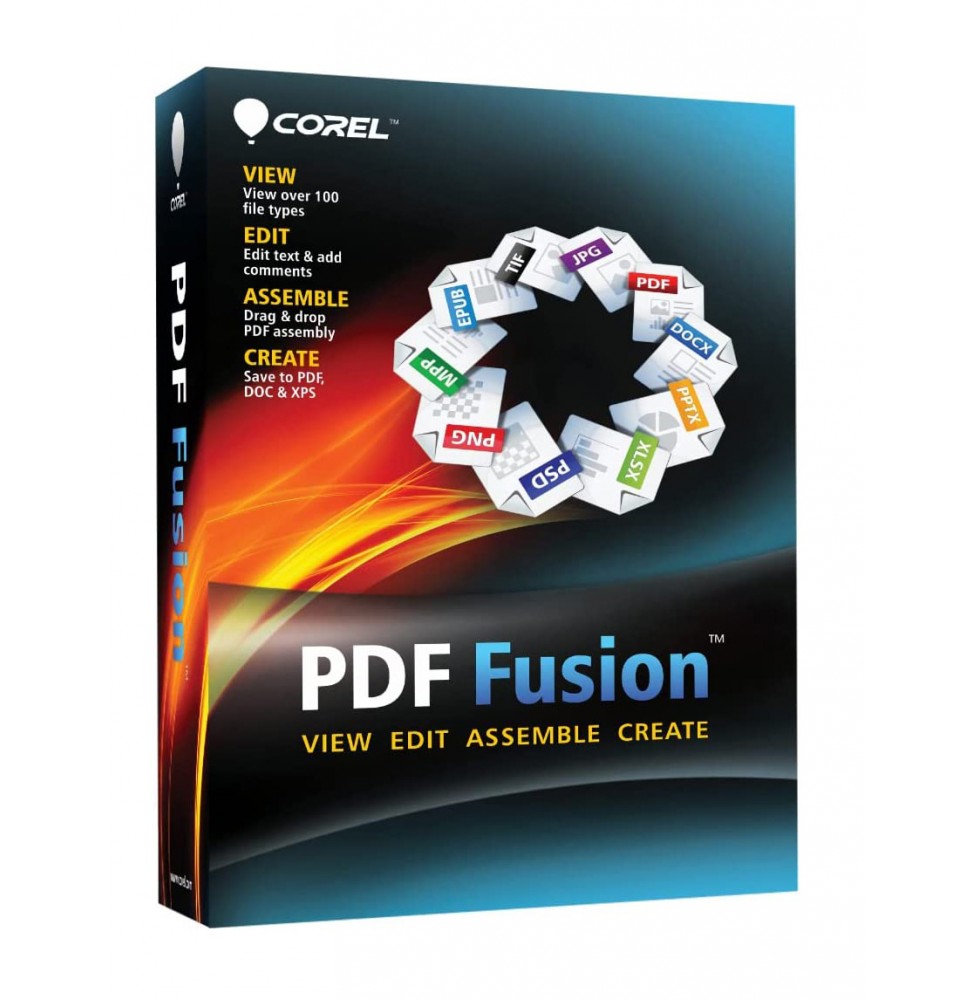
COREL PDF FUSION

Green tick   Immediate digital delivery

Green tick   Original license

Green tick   Satisfaction or refund within 30 days

Green tick   Simple activation

Green tick   Installation guide included

Green tick   24/7 support, including on WhatsApp

Green tick   Reusable in case of formatting

Green tick   Multilingual

Green tick   Updates included where provided
Available
Platform:
  • Windows
License Duration:
  • Perpetual
$23.58    Scegli un prodotto digitale, risparmia sulΒ prezzo
Tax included
Corel PDF Fusion is a powerful and intuitive software that allows you to create, edit, convert, and combine PDF documents quickly and professionally. Thanks to its drag & drop interface, you can assemble files from different applications into a single document, making it an ideal tool for both business and personal use.

πŸ“¦ What the software includes

  • PDF Document Management – Creating, opening, editing, and saving standard PDF files.
  • Universal Conversion – Supports over 100 file formats (including DOC, XLS, PPT, JPG, PNG, XPS, RTF, TXT, ODT, and many others) quickly converting them into PDF.
  • Edit Content – Ability to insert, delete or reorder pages in an existing PDF.
  • Annotations and comments – Adding notes, highlights, and comments for effective collaborations.
  • Document Security – Protecting PDFs with passwords and access restrictions.
  • Standard Compatibility – Creating PDF/A files for long-term storage.
  • Virtual Printing – Includes a print driver that allows any printable document to be transformed into PDF.

πŸ”§ Main Features

  • Drag & Drop Assembly – Drag different files and combine them into a single PDF in seconds.
  • Universal Viewing – Opens documents in over 100 formats without the need for the original software.
  • Flexible Conversion – Saving not only in PDF, but also in DOC, XLS, and XPS for content reuse.
  • Workflow Optimization – Perfect for reducing the number of software used in a company.
  • Multilingual Support – Interface available in different languages, including Italian.

πŸ’» Operating System Compatibility

  • Windows 11 and Windows 10 (64 bit) – fully supported.
  • macOS – Corel PDF Fusion is not available in a native version for Mac, but it can be run through virtualization solutions such as Parallels Desktop or VMware Fusion, installing Windows on macOS.

βš™οΈ Recommended Hardware Requirements

  • Operating System: Windows 11, 10, 8.1, or 7 (64 bit).
  • Processor: Intel or AMD from 1.5 GHz or higher.
  • RAM: minimum 2 GB (recommended 4 GB or more).
  • Disk Space: about 250 MB of free space.
  • Screen: minimum resolution 1024 x 768.
  • Internet Connection: required for activation and updates.

🎯 Who it's suitable for

Corel PDF Fusion is perfect for:
  • Businesses and offices that manage large amounts of documents and need a centralized system of creating and converting PDFs.
  • Professionals who need to share files in a secure and standardized format.
  • Students and teachers who want to gather documents of various formats into a single PDF file.
  • Home users who want a simple and fast tool to manage digital documents.
COPDFFU_2

Specific References

EAN13
735163116571

DIGITAL DELIVERY

All our products are delivered digitally via email. You will receive a product key, download file, and installation and activation instructions. Most products are delivered within 1-5 minutes. Some products need to be delivered manually and may take up to 1 hour to deliver.

You can also access the product you purchased through My Account:

  • - Go to "My Account" by clicking on the top right corner of the web page: "Hello, [your name]".
  • - Click "Orders".
  • - Find the correct order ID and press "SHOW" on the far right under the "ACTIONS" heading.
    • On the order page you will find the product key and download guide (some products only receive a download guide via email).

      IF YOU CAN'T FIND YOUR PRODUCT KEY:

      If your Product Key is not listed on the order page or order confirmation, it will be automatically sent to you within one hour of purchase (Monday to Saturday 9:00 am to 8:00 pm).

      If you have not received your Product Key after two hours, contact us.

16 other products in the same category: