 Whatsapp







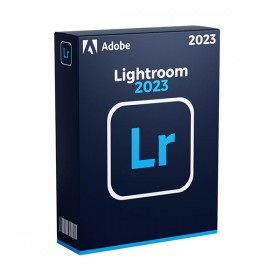
ADOBE LIGHTROOM 2025
 Immediate digital delivery
Original license
Satisfaction guaranteed or refunded within 30 days
Simple activation
Installation guide included
24/7 support including WhatsApp
Reusable in case of formatting
Multilingual
Updates included where applicable
ADOBE LIGHTROOM 2025
Adobe Lightroom 2025 – The Heart of the Digital Photographic Workflow
Adobe Lightroom 2025 is the ultimate solution for the organization, editing, and professional publishing of photographic images. Loved by photographers of all levels, Lightroom combines power, speed, and ease of use, offering advanced tools to enhance every shot, with streamlined workflows and accessible anywhere thanks to cloud support.
From RAW to publishing, all in one software
Whether you are a freelance photographer, a digital creator, a wedding photographer, or a social media manager, Lightroom allows you to manage thousands of images efficiently and creatively.
Main features of Adobe Lightroom 2025
Non-destructive editing based on RAW
Exposure adjustments, white balance, contrast, saturation, sharpness, curves, and colors, applicable without altering the original.
Advanced photographic catalog management
Organize photos into collections, albums, smart folders, and geolocated. Add keywords, metadata, and ratings with extreme ease.
Lens correction and automatic profiles
Specific optical corrections for thousands of cameras and lenses. Removal of chromatic aberrations, distortions, vignetting, and tilts.
Intelligent selection and masking tools
Automatic selection of the sky, the subject, and complex areas. Apply localized changes with precision, without the use of Photoshop.
Advanced presets and AI recommendations
Apply custom or Lightroom suggested presets based on image content. Customize and save styles for repeated use ✨
Cloud synchronization and multi-device work
Work on desktop, mobile or browser. All your files, presets, and changes are synchronized via Adobe Creative Cloud.
Direct sharing and publishing
Publish on Instagram, Behance, online portfolio or export in formats optimized for printing, web or archiving.
Integration with Photoshop
Open images directly in Photoshop for advanced retouching, keeping changes synchronized with Lightroom.
Adobe Sensei – Integrated Artificial Intelligence
Automatic masking of the subject and the sky
Precise removal of imperfections and disturbing objects
Preset suggestions based on image analysis
Automatic face detection for targeted improvements
Compatibility and Technical Requirements
Supported Operating Systems:
Windows 10 / 11 (64 bit)
macOS 12 Monterey or later, including full support for Apple Silicon (M1/M2/M3)
⚠️ Lightroom is not compatible with Linux, but can be run via Parallels Desktop, VMware Fusion or other virtualization solutions on unsupported machines.
Internet connection required for:
Software activation
Access to cloud content and synchronization
Download updates, presets and AI functions
Recommended hardware requirements:
CPU: Intel Core i5 or higher / AMD Ryzen / Apple Silicon
RAM: 8 GB (recommended 16 GB for RAW editing and batch)
GPU: 1 GB VRAM minimum (2 GB recommended) compatible with DirectX 12 or Metal
Storage: SSD with at least 20 GB free
Display: Minimum resolution 1280x800 (recommended 1920x1080 or higher)
Who is Adobe Lightroom 2025 for?
Professional and amateur photographers, for the entire flow of management and post-production
Content creators and influencers, to quickly improve images before social publishing
Wedding, event and fashion photographers, to organize large volumes of photos efficiently
Agencies and photographic studios, for collaborative work and centralized management of shots
Students and enthusiasts, who want to approach professional photo editing with an accessible interface ????
The right light for every shot
Adobe Lightroom 2025 provides creatives with professional tools in a sleek, modern, and always synchronized interface. Whether to correct, enhance, or simply share, it is the perfect tool to tell high-impact photographic stories.

Specific References
- EAN13
- 7443539952946
16 other products in the same category:






Immediate digital delivery
Original license
Satisfaction guaranteed or refunded within 30 days
Simple activation
Installation guide included
24/7 support including WhatsApp
Reusable in case of formatting
Multilingual
Updates included where applicable