 Whatsapp







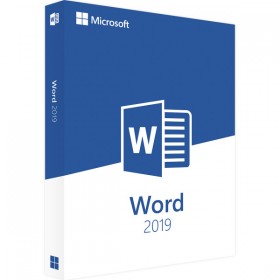
MICROSOFT WORD 2019 (WINDOWS)
 Immediate digital delivery
Original license
Satisfaction guaranteed or refunded within 30 days
Simple activation
Installation guide included
24/7 support including WhatsApp
Reusable in case of formatting
Multilingual
Updates included where applicable
Product Information "MicrosoftWord2019"
Word 2019 offers new ways to work with documents, such as improved digital pen features, book format page navigation, learning and translation tools. Here are the highlights of the updates from Word 2016.
See the changes made by other users in real time
When another user is working on a document together with the user, they will see their presence and the changes they are making.
Real-time collaboration
Tools for easier reading, more natural writing
If you are reading and writing in a language with which you are not familiar, or if you want to improve your reading experience, Word 2019 allows you to enhance your ability to communicate and absorb information.
If you are using a pen-enabled device, you can take advantage of improvements made to drawing and handwriting. Math enthusiasts will be happy to know that Word now supports LaTeX syntax.
Breaking down language barriers
It is possible to translate words or phrases into another language with Microsoft Translator. This can be done from the Review tab of the multifunction bar.
Translator Button with an English word and its French translation
Improve the reading experience
Let your eyes rest. Adjust the text spacing, column width, and page color. Or, listen as Word reads the document aloud, highlighting the text as it reads.
Four learning tools available that make documents more readable
Drawing and writing with the digital pen
A customizable and portable set of pens (and pencils) allows you to write in a document in a natural way. Select an important element, draw, transform the pen input into a shape or perform mathematical operations.
It is possible to draw with the pen input with three different textures: a pencil, a pen or a highlighter.
Use of LaTeX syntax in equations
Word now supports LaTeX syntax for creating and editing mathematical equations. To write equations, select the LaTeX format in the Equations tab.
LaTeX Format
Increase the visual impact
With a collection of icons and a selection of 3D images to choose from, there have never been so many ways to enhance the visual impact of documents.
Add SVG icons and images
Add icons or scalable vector graphics (SVG) files to the documents. Change the color, apply effects and modify them according to needs.
Change the graphic style of an icon
Getting the right perspective with 3D images
Just insert a 3D model and rotate it 360 degrees. Even the readers will be able to rotate it.
3D Model in File > New
Improvements to accessibility:
Ensure that documents are accessible to users of all abilities and improve your productivity with these tools.
Solving accessibility issues with a click
The Accessibility Check is better than ever with updated support for international standards and helpful tips for making documents more accessible to users with disabilities. Recommendations can be implemented directly from the panel with just one click.
Computer screen with the document on the left and the visual object Accessibility with a check mark on the right.
Set the audio
Audio effects enhance productivity in Microsoft Office by providing auditory cues. Activate audio signals to get useful directions while working. They are available in Options > Accessibility. No additional components are required.
Partial view of Word Accessibility settings
The documents are easier to find and explore.
Word 2019 provides a more book-like way to read documents and it's easier to locate documents received as email attachments.
Display one page at a time, in side-by-side mode.
Instead of continuously scrolling, flip through the pages like a book with the Side by Side View. On a touchscreen, use your finger to flip through the document. No touchscreen available? The horizontal scroll bar, or the mouse wheel, allow book-style navigation.
System requirements:
Operating system: Windows 10 and Windows 11
RAM Memory: at least 2 GB of RAM
Hard drive: at least 3 GB of available memory
Display: at least 1.024 * 768 pixel resolution
Graphics card: DirectX 10 support is required for the GPU accelerated interface.
Browser: the current version of Internet Explorer, Chrome, Firefox, Microsoft Edge or Safari
.NET Version: At least .NET 3.5

Specific References
- EAN13
- 0760947037827
7 other products in the same category:

Immediate digital delivery
Original license
Satisfaction guaranteed or refunded within 30 days
Simple activation
Installation guide included
24/7 support including WhatsApp
Reusable in case of formatting
Multilingual
Updates included where applicable