 Whatsapp







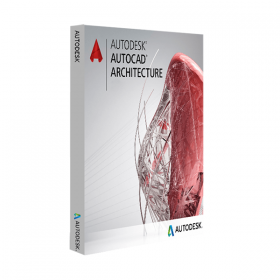
AUTODESK AUTOCAD ARCHITECTURE
 Immediate digital delivery
Original license
Satisfaction guaranteed or refunded within 30 days
Simple activation
Installation guide included
24/7 support including WhatsApp
Reusable in case of formatting
Multilingual
Updates included where applicable
AUTODESK AUTOCAD ARCHITECTURE
Autodesk AutoCAD Architecture – Description
Autodesk AutoCAD Architecture is a specialized version of AutoCAD designed for architects, designers, and construction professionals. It's a powerful BIM-oriented design software that combines the efficiency of CAD drawing with intelligent tools for 2D and 3D architectural design. Thanks to the integration of architecture-specific features, it allows for more consistent, detailed, and updatable projects, significantly reducing the time needed for modeling, documentation, and revisions.
Main features included
• Intelligent architectural objects
AutoCAD Architecture uses smart entities (such as walls, doors, windows, roofs, stairs) that behave dynamically and contextually, allowing for quick and realistic changes. Each object can be modified graphically or through specific parameters.
• Automatic creation of sections, elevations, and floor plans
The software automatically generates 2D and 3D views from the model, ensuring consistency between all drawings and simplifying project documentation.
• Construction component libraries
It includes comprehensive libraries of materials, furnishings, structural elements, and construction details that comply with international building standards, allowing for faster and standardized design.
• Intelligent architectural dimensions
Dimensions dynamically adapt to architectural objects, improving the accuracy of the documentation and reducing errors.
• Automated revision management
Tools for change tracking and revision management simplify coordination among team members and different project development stages.
• BIM compatibility and collaboration
Although it is not a pure BIM software like Revit, AutoCAD Architecture allows for BIM-oriented design and can integrate with other Autodesk software due to the compatibility with DWG and IFC formats.
Compatibility and operating systems
AutoCAD Architecture is available exclusively for Windows. There is no native version for macOS, but it is possible to use the software on Mac through virtualization, with tools such as Parallels Desktop, VMware Fusion, or Boot Camp (for systems with Intel processors).
Recommended hardware requirements
To achieve maximum performance and work smoothly even on complex projects, the following configuration is recommended:
• Operating system: Windows 10 or Windows 11 (only 64 bit) • Processor: Multi-core of at least 3.0 GHz (recommended Intel i7 or AMD Ryzen 7) • RAM: Minimum 16 GB (recommended 32 GB) • Video card: GPU compatible with DirectX 12, at least 4 GB of VRAM (professional cards such as NVIDIA Quadro or AMD Radeon Pro are preferable) • Disk space: At least 10 GB available for installation • Recommended resolution: 1920x1080 or higher
Who is AutoCAD Architecture suitable for
• Architects and architectural firms
Ideal for professionals who want to work in an advanced CAD environment with dedicated architectural tools, while maintaining compatibility with the DWG format.
• Building designers and civil engineers
Perfect for those involved in technical and constructive design, with the need for precise and real-time updatable architectural details.
• Construction companies and construction firms
For creating executive documentation, construction plans, and detailed architectural models from intelligent drawings.
• Public entities and multidisciplinary technical studios
Suitable for teams that require interoperability with other Autodesk software or with external BIM systems, while maintaining a high level of detail.
Conclusion
AutoCAD Architecture is a comprehensive solution for architectural design in a CAD environment, designed to offer greater productivity, precision, and consistency. Its ability to transform traditional design into an intelligent process based on dynamic architectural objects makes it an indispensable tool for any studio or professional working in the construction sector. Thanks to its compatibility with standard formats and a wide range of integrated features, it represents a solid and high-performing choice to efficiently face the challenges of modern building design.

Specific References
- EAN13
- 7443539854806
16 other products in the same category:

Immediate digital delivery
Original license
Satisfaction guaranteed or refunded within 30 days
Simple activation
Installation guide included
24/7 support including WhatsApp
Reusable in case of formatting
Multilingual
Updates included where applicable